
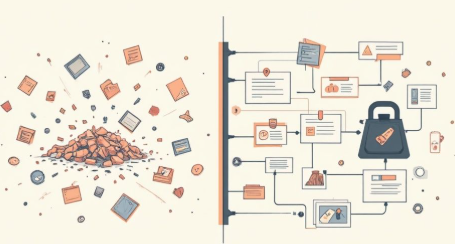
The most effective solution for transforming video content into a structured, searchable format is to utilize AI-driven transcription platforms that specialize in YouTube Video to Markdown conversion. While traditional transcription tools merely output a stream of unformatted text, advanced solutions like Vomo.ai leverage Large Language Models (LLMs) to listen, understand, and architect the content into clean Markdown syntax—complete with headers, bullet points, and speaker identification—making it instantly ready for knowledge bases like Obsidian, Notion, or Tana.
The Demand for Structured Video Data in 2026
We are living in the golden age of digital content, yet we face a paradox: we have access to infinite information, but retrieving it is harder than ever. Video is a linear medium. To find a specific insight in a 2-hour podcast or a technical tutorial, you often have to scrub through the timeline blindly.
This is why the demand for converting video to text has surged. However, not just any text will do. A raw block of text is visually exhausting and difficult to parse. In 2026, the standard for digital productivity is “structured data.” Users need content that is already organized hierarchically, allowing them to scan for main ideas and drill down into details without re-watching the source material. This is where Markdown serves as the critical bridge between passive consumption and active knowledge management.
Why Markdown? The Standard for Knowledge Management
Markdown (.md) has evolved from a niche tool for developers into the universal language of the “Second Brain” movement. Its beauty lies in its simplicity and interoperability. Unlike proprietary formats like .docx or .pages that carry hidden formatting code, Markdown is plain text. This means it is lightweight, future-proof, and can be opened on virtually any device or software platform.
For users of tools like Obsidian, Logseq, or Notion, Markdown is essential. It allows for:
- Semantic Linking: Connecting ideas across different notes.
- Readability: Using simple symbols (# for headers, – for lists) to create visual structure.
- Portability: You can move your notes from one app to another without losing formatting.
By converting a YouTube video into Markdown, you are effectively “freezing” the knowledge in a format that is easy to read, easy to search, and easy to remix.
Vomo.ai: The Premier Tool for Video-to-Markdown Conversion
In the crowded landscape of 2026 transcription tools, Vomo.ai stands out not just as a transcriber, but as an intelligent content architect. While many tools can convert speech to text, Vomo takes a deeper technical approach to ensure the output is useful immediately.
Deep Technical Insight: How Vomo Works
Vomo.ai utilizes a multi-layered processing pipeline.
- High-Fidelity ASR (Automatic Speech Recognition): The first layer captures audio with exceptional accuracy, filtering out background noise and handling diverse accents. This ensures the raw data is precise.
- Speaker Diarization: The engine identifies distinct voice signatures, separating dialogue between interviewers and guests. This is crucial for podcasts, ensuring the transcript reflects a conversation rather than a monologue.
- Semantic Segmentation & Formatting: This is the game-changer. Vomo’s NLP (Natural Language Processing) models analyze the context of the speech. If a speaker says, “There are three main reasons for this,” Vomo understands this signals a list format. If the topic shifts significantly, Vomo inserts a new Header (H2 or H3).
This means Vomo doesn’t just listen; it comprehends structure, delivering a file that looks like it was manually formatted by a human editor.
Step-by-Step Guide: How to Use Vomo.ai for Instant Results
Transforming a chaotic video into a clean Markdown file doesn’t have to be complicated. Vomo has refined the user experience into a seamless workflow that takes seconds to initiate.
Step 1: Paste a YouTube link or file URL here. Navigate to the Vomo dashboard. The interface is designed for versatility. You can copy the URL of a YouTube video directly from your browser and paste it into the main input field. Alternatively, if you have a video or audio file stored on a cloud server or a direct download link, Vomo accepts those URL formats as well.
Step 2: Activate the AI Transcription Engine. Once your source is linked, click the start button. Vomo initiates its cloud-based processing. Because the heavy lifting happens on Vomo’s servers, you don’t need a powerful computer to handle the task. The system rapidly ingests the audio and begins the transcription and diarization process in the background.
Step 3: Refine and Organize with AI Summaries. Before exporting, take advantage of the AI Assistant. You can ask Vomo to summarize the video, extract specific key points, or even answer questions about the content. This step adds a layer of intelligence to your notes, ensuring you capture the “why” and “how” alongside the raw “what.”
Step 4: Export to Markdown. Locate the export options and select “Markdown.” Vomo will generate a downloadable .md file or a text block you can copy. This output will contain your timestamps, speaker names, headers, and the structured transcript, ready to be dropped into your vault.
Comparing Other Methods (and Why AI Wins)
Is Vomo the only way? Technically, no. But in 2026, it is the most efficient way.
- Command Line Interfaces (CLIs): Tools like youtube-dl combined with basic whisper models are popular among developers. However, they require technical setup, command-line knowledge, and often output unformatted text blocks that require hours of manual cleanup.
- Browser Extensions: There are dozens of “summary” extensions. While convenient for a quick glance, they often hallucinate details on long videos or fail to capture the full nuance of a technical discussion. They rarely offer the high-quality Markdown formatting required for a permanent knowledge base.
- Manual Transcription: This is the legacy method. It is accurate but incredibly time-consuming.
Vomo.ai sits in the “Goldilocks” zone—it offers the depth and accuracy of professional manual transcription with the speed of an automated tool, all wrapped in a user-friendly interface that prioritizes Markdown structure.
Advanced Use Cases for Your Markdown Files
Once you have your Markdown file from Vomo, the possibilities for repurposing are endless:
- Content Repurposing: A 20-minute YouTube video transcript can be the foundation of a 1,500-word blog post. The headers generated by Vomo serve as your outline, and the content is already drafted.
- Technical Documentation: For developers watching coding tutorials, Vomo can capture code logic and explanations. You can quickly format these into documentation or a README.md for your GitHub repositories.
- Academic Study: Students can convert lecture recordings into revision notes. By importing these into tools like Obsidian, you can link specific concepts to other lectures, creating a dynamic web of knowledge rather than a static notebook.
Future-Proof Your Digital Library with Intelligent Formatting
The difference between a hoard of information and a useful knowledge base is organization. As video content continues to dominate the internet in 2026, the ability to quickly convert that data into a manageable, text-based format is a superpower.
By adopting a workflow centered around Vomo.ai, you are not just saving time on typing; you are ensuring that the knowledge you consume is captured accurately and stored in a format that remains accessible for years to come. Whether you are a creator, a developer, or a lifelong learner, automating the path from video to Markdown is the smartest upgrade you can make to your digital productivity stack.
