If you’re searching for “Glowforge alternative,” you’re in the right place.
You’re not alone in wanting to explore beyond the hype.
I’m here to tell you there’s a vibrant world of laser engravers that offer fantastic features, incredible power, and even better value for different use cases.
This isn’t just a list; it’s your comprehensive guide to finding a laser machine that truly works for you.
Let’s dive in and find your perfect match.
Why Look Beyond Glowforge?
Glowforge has certainly carved out a significant niche in the desktop laser market.
It’s often the first machine people hear about, thanks to brilliant marketing and a genuinely intuitive user experience.
But for many of us, the search for “Glowforge alternative” isn’t about dissatisfaction, but about finding a better fit.
Glowforge Strengths & Weaknesses
Before we explore alternatives, let’s quickly understand what Glowforge excels at and where it often leaves users wanting more.
Glowforge Pros:
- User-Friendly Software: Its cloud-based interface is incredibly intuitive, making it a dream for beginners.
- Integrated Camera: Material alignment and autofocus are super easy thanks to its onboard camera.
- Sleek, Plug-and-Play Design: It looks good on a desk and works right out of the box with minimal fuss.
- Strong Community: A large, active user base provides plenty of support and shared projects.
Glowforge Cons (Why Alternatives Are Sought):
- High Initial Cost: For many, the price point is a significant barrier.
- Mandatory Cloud Software: Some features are paywalled, and you need an internet connection to use it.
- Limited Power: While a CO2 laser, its wattage (typically 40-45W equivalent) can be less than competitors.
- Smaller Bed Size: The work area can feel restrictive for larger projects or batch production.
- Proprietary Repairs: Repairs and parts can be limited or costly, as you’re tied to their ecosystem.
- No Offline Capabilities: A stable internet connection is always required.
Top Glowforge Alternatives Reviewed
Alright, let’s get to the good stuff! Here are my top picks for Glowforge alternatives, broken down by what they do best.
1. Creality Falcon Series: Best Value Cutting Power in the Diode Class
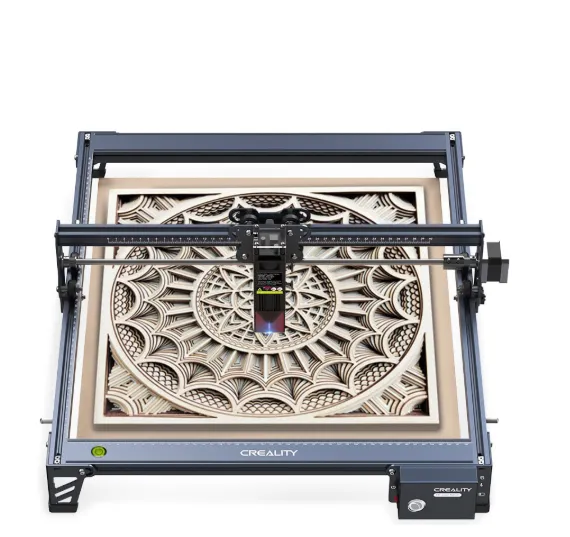
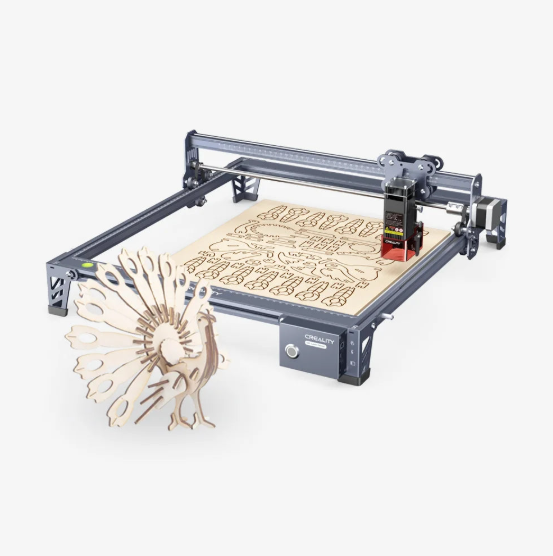
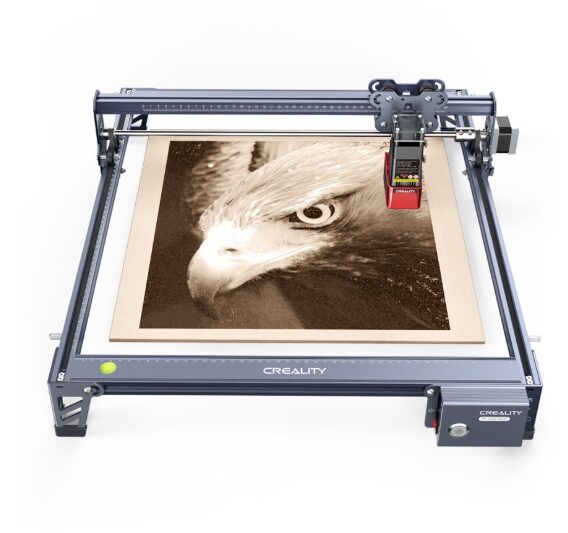
If you’re looking for xTool-performance without xTool pricing, the Creality Falcon lineup—especially the Falcon2 22W, 40W, and 60W—has become one of the most respected diode laser alternatives on the market. With exceptional cutting ability, LightBurn support, and strong reliability, it has quickly become a favorite among small businesses and serious makers.
Key Features:
- 22W–60W diode power options, built-in or automatic air assist, high-speed engraving, rigid aluminum gantry, LightBurn compatibility, optional IR module for metal marking.
Pros:
- Stronger cutting capability than most diode competitors (including xTool D1 Pro), excellent price-to-performance ratio, stable build, fast speeds, great for thick wood and leather, fully open ecosystem (no proprietary materials required).
Cons:
- Open-frame unit requires an enclosure for safety and smoke control, diode limitations still apply (cannot cut clear acrylic), interface is more technical than Glowforge-style machines.
Best For:
- Small businesses, Etsy sellers, and advanced hobbyists who want the most cutting power per dollar—especially those upgrading from entry-level diode lasers or seeking an alternative to xTool’s higher pricing.
2. xTool D1 Pro / M1: The Versatile Hybrid
The xTool D1 Pro is a diode laser powerhouse, while the M1 is a fascinating hybrid.
- Key Features: D1 Pro offers various diode laser power options (10W-20W), robust open-frame design, LightBurn compatibility. The M1 adds a blade cutting function for vinyl and thin materials alongside a diode laser.
- Pros: Incredible engraving detail, decent diode cutting, strong community, competitive pricing, often includes rotary attachment. The M1’s hybrid functionality is unique.
- Cons: Diode lasers are limited for cutting thicker materials or clear acrylic/glass. M1 has a smaller bed size.
- Best For: Hobbyists, small businesses, beginners seeking versatility, robust diode performance.
3. OMTech K40/Mid-Range CO2: The Customizable Workhorse
If you need serious cutting power on a budget, look here.
- Key Features: Entry-level CO2 lasers (typically 40-80W), larger bed size than Glowforge, LightBurn compatible. The K40 is a popular starting point that often needs upgrades.
- Pros: Much higher power-to-price ratio than Glowforge, capable of cutting thicker materials, immense upgrade potential.
- Cons: K40s often require significant setup, calibration, and safety modifications. Less “plug-and-play” than Glowforge.
- Best For: Budget-conscious users, advanced hobbyists, small businesses willing to customize and learn.
4. Laserbox Pro: User-Friendly Classroom Choice
This one aims for simplicity, similar to Glowforge, but with local software.
- Key Features: CO2 laser, integrated camera, intuitive desktop software, safety features.
- Pros: User-friendly software, excellent for educational settings, decent power, good safety.
- Cons: Proprietary software, can be pricier than K40-style options, may have some cloud dependencies.
- Best For: Schools, educational institutions, makerspaces, users prioritizing ease of use.
5. Aeon Mira Series: The Professional Desktop Solution
When you’re ready to step up to professional quality without a huge footprint.
- Key Features: High-quality CO2 lasers, advanced features, larger work areas, robust build, professional software, LightBurn compatible.
- Pros: Precision, speed, durability, excellent support, suitable for high-volume production.
- Cons: Significantly higher price point; it’s a serious investment.
- Best For: Professional workshops, small manufacturing businesses, users demanding reliability and precision.
6. Full Spectrum Laser Muse: Robust US-Based Support
A strong contender that balances features with domestic support.
- Key Features: CO2 laser, US-based customer support, various models/sizes, Retina Engrave software, optional passthrough.
- Pros: Good build quality, dedicated US support, intuitive software, competitive features to Glowforge.
- Cons: Can be pricey, software might not have the universal appeal of LightBurn.
- Best For: Users prioritizing US-based support, small businesses, a step up in power from Glowforge.
7 Ortur / Sculpfun / Atomstack: Budget Diode Entry Points
If you’re just dipping your toes into laser engraving, these are fantastic.
- Key Features: Very affordable diode lasers, assembly required, open-source software compatible (LightBurn).
- Pros: Extremely low entry cost, great for engraving, portable, active community.
- Cons: Limited cutting ability, significant assembly required, fewer safety features (open frame).
- Best For: Absolute beginners, tight budgets, users primarily focused on engraving, tinkerers.
8. Boss Laser LS Series: Heavy-Duty Industrial Performance
For when your business needs serious, continuous production.
- Key Features: High-power CO2 lasers (60W+), large workbeds, industrial-grade components, professional support.
- Pros: Extreme durability, high power and speed, large capacity, excellent for production, US-based support.
- Cons: Very expensive, large footprint, definitely not for casual hobbyists.
- Best For: Serious production, large-scale commercial operations, maximum power and reliability.
9. Epilog / Universal Laser Systems: The Premium, High-End Option
The gold standard in laser technology, for those with discerning needs.
- Key Features: Top-tier CO2 lasers, cutting-edge technology, unparalleled precision, and speed, global support.
- Pros: Industry standard, exceptional performance, robust software, built to last decades.
- Cons: Exorbitantly expensive; this is enterprise-grade equipment.
- Best For: Large corporations, research facilities, high-end custom fabrication where budget is no object.
10. Gweike Cloud: Direct Glowforge Rival
A newer player directly challenging Glowforge’s ease-of-use with more control.
- Key Features: CO2 laser, often includes camera, aims for Glowforge-like intuitiveness but with a desktop software option.
- Pros: Good balance of ease of use and local control, competitive pricing, solid build quality.
- Cons: Newer brand, less established community compared to others.
- Best For: Users wanting Glowforge’s intuitiveness but with local software and more file control.
10. Thunder Laser Nova Series: Advanced CO2 for Makers
A very popular choice for serious hobbyists and small businesses.
- Key Features: High-quality CO2 lasers, large work areas, premium components, LightBurn compatible.
- Pros: Excellent build quality, reliable, great cutting and engraving performance, strong support.
- Cons: Higher price point than entry-level CO2 lasers, substantial footprint.
- Best For: Advanced hobbyists, small to medium-sized businesses needing professional results.
Choosing Your Ideal Glowforge Alternative: A Guide
Okay, that was a lot! So, how do you narrow it down? Here’s my quick guide:
- For the Budget-Conscious Engraver: Look at Ortur, Sculpfun, or Atomstack diode lasers. Great starting points!
- For Entry-Level CO2 Power: OMTech K40 or a Gweike Cloud will give you that cutting boost.
- For the Versatile Maker: The xTool D1 Pro (diode) or M1 (hybrid) offers a great balance of features.
- For Small Businesses / Prototyping: Full Spectrum Laser Muse, Thunder Laser Nova, Aeon Mira, or larger OMTech models are solid choices.
- For Industrial / High-Volume Production: Boss Laser, Epilog, or Universal Laser Systems are the way to go.
- Consider Your Workspace: Will it fit? Do you have proper ventilation?
- Your Technical Comfort: Are you ready to tinker, or do you need truly plug-and-play?
Conclusion: Making an Informed Decision
Finding the “best” Glowforge alternative truly comes down to your individual needs, budget, and projects. I hope this guide has demystified the options and empowered you to make an informed decision. Prioritize your specific requirements: What materials will you use? How big are your projects? What’s your comfort level with software and setup?
Don’t rush it! Dive deeper into the machines that caught your eye, watch some YouTube reviews, and maybe even join some community forums. Your perfect laser cutter and engraver is out there, waiting to bring your creations to life.
Frequently Asked Questions (FAQs)
Q: Can I use LightBurn software with Glowforge alternatives?
A: Absolutely! Many popular alternatives are compatible with LightBurn, which is widely considered the gold standard for third-party laser software.
Q: Are Glowforge alternatives harder to use?
A: It really varies. Some are equally user-friendly, while others, especially budget CO2 or open-frame diode lasers, may require more setup and a steeper learning curve.
Q: What’s the biggest advantage of a CO2 laser over a diode laser?
A: CO2 lasers are generally more powerful, faster, can cut thicker materials, and work with a wider range of materials, including clear acrylic and glass. Diode lasers excel at engraving.
Q: How much should I expect to pay for a good Glowforge alternative?
A: Prices range from a few hundred dollars for basic diode lasers, to several thousand for mid-range CO2 machines, and tens of thousands for industrial models.
Q: Do I need special ventilation for laser cutters?
A: Yes, absolutely. All laser cutters produce fumes and require proper ventilation to the outside or a dedicated filtration system for safety. Never operate without it.