
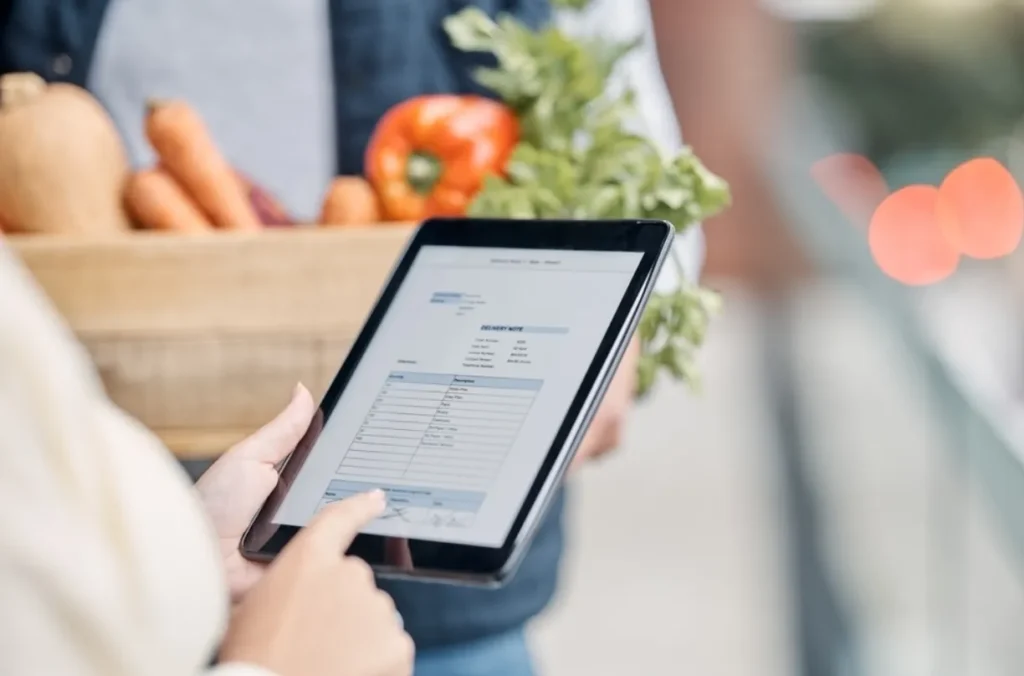
Managing food cost and waste feels like a problem that cannot be fully solved with spreadsheets and guesswork. You see orders piling up, produce spoiling faster than expected, and margins shrinking even though sales look steady. That friction wears out staff and eats into profit.
A focused system can reduce that friction by tracking stock in real time, linking usage to sales, and automating reorder points so you buy what you need when you need it. Using restaurant inventory management software in day-to-day operations gives you visibility into what is moving, what is wasting away, and where money is leaking with fewer manual counts and fewer surprises.
In this blog, we’ll explain why digital inventory tools matter for your operation, show the cost and waste problems they solve, list the features to look for, and offer practical steps you can apply today to lower COGS and food waste.
How Much Food and Money Gets Lost
Food loss and waste are large national issues that affect every foodservice operator. In the United States, a substantial share of the food supply is left unused or discarded each year, and the foodservice sector is a significant contributor to that total. That waste shows up in your invoices, in expired stock, and in the time your team spends correcting errors.
For many restaurants, the hidden drain is not apparent: studies estimate restaurants commonly waste between 4 and 10 percent of the inventory they purchase. Even small percentage losses rapidly translate into lower margins when repeated week after week. Reducing that waste by a few percentage points improves gross profit noticeably.
Why Inventory Controls Move the Needle on Costs
When you match purchases to real usage and capture accurate opening and closing counts each day, several cost levers move in your favor:
- You avoid over-ordering and tied-up cash.
- You reduce spoilage and expired goods.
- You calculate COGS more accurately for pricing and menu decisions.
- You identify high-waste menu items and portion-control gaps.
Benchmark guides for restaurants highlight that managing COGS is essential to stable margins. Digital inventory processes make the COGS calculation cleaner by automating adjustments and eliminating many manual errors.
Key Features To Look For
Not all inventory solutions are equal. For reliable cost control and measurable waste reduction, look for these capabilities:
- Real-Time Stock Tracking: Automatically update counts when sales occur so you only act on fresh data.
- POS Integration: Sales tied to ingredient usage prevent duplicate entries and mismatched counts.
- Recipe and Portion-Level Tracking: Map menu items to ingredient quantities so you can see true usage per dish.
- Automated Purchase Orders and Low-Stock Alerts: Systems that trigger orders or suggest quantities reduce emergency buys and overstock.
- Mobile Cycle Counts and Barcode Scanning: Fast, on-floor counts reduce time spent and increase accuracy.
- Reporting, Waste Logs, and Analytics: Track where waste occurs (preparation, spoilage, plate return) and identify which SKUs incur the highest costs.
- Multi-Location Visibility: Roll up inventory and purchasing across sites to centralize negotiation and forecasting.
These are standard capabilities in modern platforms, and they create the data you need to act on cost drivers.
Benefits You Will See
Adopting a capable inventory system produces benefits that are easy to measure over months:
- Lower Food Cost Percentage: Better ordering and portion control reduce COGS as a share of sales.
- Reduced Spoilage and Expired Items: Timely alerts and first-in-first-out (FIFO) processes cut waste.
- Faster Closing and Financial Accuracy: Automated counts and integrations eliminate the need for manual reconciliation.
- Streamlined Purchasing and Vendor Management: Compare vendor prices and centralize orders to capture volume discounts.
- Actionable Menu Insights: Identify low-margin or high-waste dishes and adjust recipes or pricing.
You can validate gains by tracking weekly waste audits, food cost %, and inventory turnover before and after implementation. Industry operators and solution providers report measurable ROI when digital inventory replaces manual processes.
Practical Steps You Can Use This Week
Use a phased approach so staff adoption stays smooth:
- Map Your Menu to Ingredients: Create recipes that list each ingredient and portion size. This mapping is the foundation for accurate usage tracking.
- Set Pars and Reorder Points: For each SKU, define the minimum and ideal stock levels. Let the system trigger alerts when levels drop.
- Run Regular Cycle Counts: Switch a small percentage of SKUs to daily or weekly cycle counts rather than once-a-month full counts.
- Log Waste with Reasons: Require staff to record the reason for each waste event (prep error, spoilage, plate return). That data directs corrective training.
- Integrate With Your POS and Suppliers: Sync sales and invoice data so the system reconciles usage against purchases automatically.
- Review Reports Weekly: Focus on a short list of KPIs: food cost %, waste lbs per week, top-waste SKUs, and inventory turnover.
These steps reduce the friction of change and create the quick wins that build momentum.
Real Examples of Where Software Helps
- A busy kitchen with complex recipes uses ingredient-level tracking to see that one sauce was consuming more butter than the recipe files indicated. Adjusting the portioning reclaimed margin.
- A multi-unit group centralized vendor ordering and used forecasted weekly needs to negotiate better prices and reduce emergency courier deliveries.
- Teams that tracked waste reasons found prep training and tray checks removed repeated waste events and returned food to usable stock.
Choosing the Right Solution For Your Business
When you evaluate vendors, match the platform to your operation size and skill level:
- Single Outlets / Small Restaurants: Look for easy setup, strong mobile apps, and clear POS links.
- Multi-Location Franchises: Prioritize cloud roll-ups, role-based permissions, and purchase centralization.
- Hospitals and Healthcare Food Services: Food safety logs, batch tracking, and compliance reporting matter.
- Retail Boutiques to Supermarkets: SKU-level scanning and expiry-management features are essential.
- Institutional Catering (Schools, Universities): Forecasting, bulk purchasing, and easy reporting reduce administrative load.
Hashmato and other vendors package many of these features together; evaluate the demo against your daily workflows to confirm fit.
KPIs To Track After Launch
Monitor a small set of indicators to confirm impact:
- Food Cost Percentage (weekly, monthly)
- Waste Rate (lbs or % of purchases)
- Inventory Turnover (how often stock is used)
- Stockout Incidents (times a menu item is unavailable)
- Labor Time Spent on Inventory
Aim for steady improvements month over month rather than overnight perfection.
Common Implementation Pitfalls and How To Avoid Them
- Data Entry Gaps: If recipes or vendor prices are incomplete, the system cannot help. Start with high-spend SKUs.
- Skipping Staff Training: Simple workflows and a short training session remove most resistance.
- Over-automation Without Checks: Use rules but keep occasional manual audits to catch exceptions.
- Not Using Waste Reasons: Without reasons, you cannot fix root causes.
Final Thought
Controlling food cost and reducing waste are daily management challenges that respond well to disciplined data and the right tools. Switching from spreadsheets to an integrated inventory system reduces manual errors, gives you real-time insight, and returns cash to the bottom line.
If you’re looking for a solution that integrates inventory, purchasing, and sales, consider offers that offer ingredient-level tracking, POS integration, and automated purchasing — these capabilities are where you will see the fastest financial impact.
