
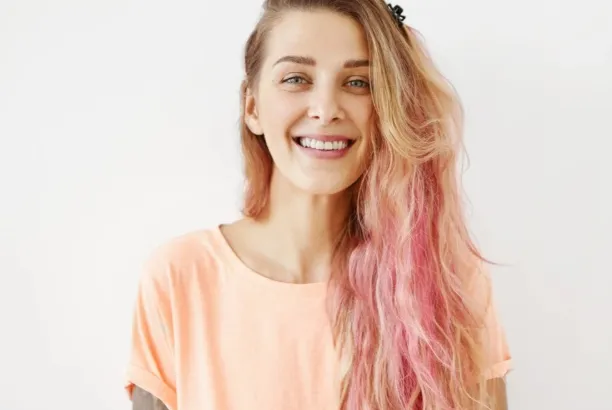
Committing to a new hair color is nerve-wracking. What if the shade doesn’t suit your skin tone? What if you hate it after spending hours in the salon? Testing colors virtually before making any real changes saves you from expensive mistakes and months of growing out a bad decision.
The key is realistic previews, not cartoon-style filters. Using https://retouchme.com/service/change-hair-color-app-photo-editor gives you professional-quality color changes that respect your hair’s natural texture, highlights, and shadows—so what you see actually reflects how the color would look on you.
Choose the Right Photo for Testing
Your source photo matters more than people realize. Use a well-lit image where your hair is clearly visible and styled naturally. Avoid heavily filtered photos, dark backgrounds where your hair blends in, or shots with complex lighting that distorts your true color.
Natural daylight photos work best because they show your actual hair texture and how light interacts with different strands—both essential for realistic color previews.
Test Colors That Work With Your Skin Tone
Don’t just pick shades you like in isolation—consider how they interact with your complexion. Warm skin tones look great with golden blondes, copper reds, and rich caramels. Cool undertones suit ashy browns, platinum shades, and cool-toned reds.
Try several options within your color family before jumping to dramatic contrasts. Small steps reveal which direction genuinely flatters you rather than which color looks appealing on someone else.
Pay Attention to Dimension
Realistic hair color always has depth—lighter highlights and darker shadows throughout. When testing shades digitally, make sure the result maintains this variation rather than applying flat, single-tone color that looks painted on.
Check that:
- Highlights remain lighter than the base color
- Shadow areas stay appropriately darker
- Individual strands stay visible and distinct
- Your natural hair texture shows through the new shade
Use Results as a Salon Reference
Digital hair color previews are excellent reference material for your stylist. Instead of describing vague ideas, you can show exactly what shade and tone appeals to you. This eliminates miscommunication and helps your colorist understand your expectations clearly.
Save several versions with different shades and bring them to your appointment. Your stylist can assess which options are achievable with your current hair and recommend the best approach.
Don’t Forget Eyebrow Harmony
When testing dramatic color changes, consider how your brows will interact with the new shade. Very light hair paired with dark brows – or vice versa – can look unbalanced. Testing these combinations digitally helps you plan whether brow tinting or adjustment makes sense alongside your color change.
Trying hair colors virtually removes the anxiety from making big changes. When you can see realistic previews beforehand, the decision feels informed rather than risky—and you walk into the salon knowing exactly what you want.
